

HttpEndpoint
HttpEndpoint shows one proposed HTTP endpoint - method, path, parameters, request body, and responses - so a plan that introduces or changes an API can be reviewed on the contract itself instead of prose approximations of it.
How it looks
Section titled “How it looks”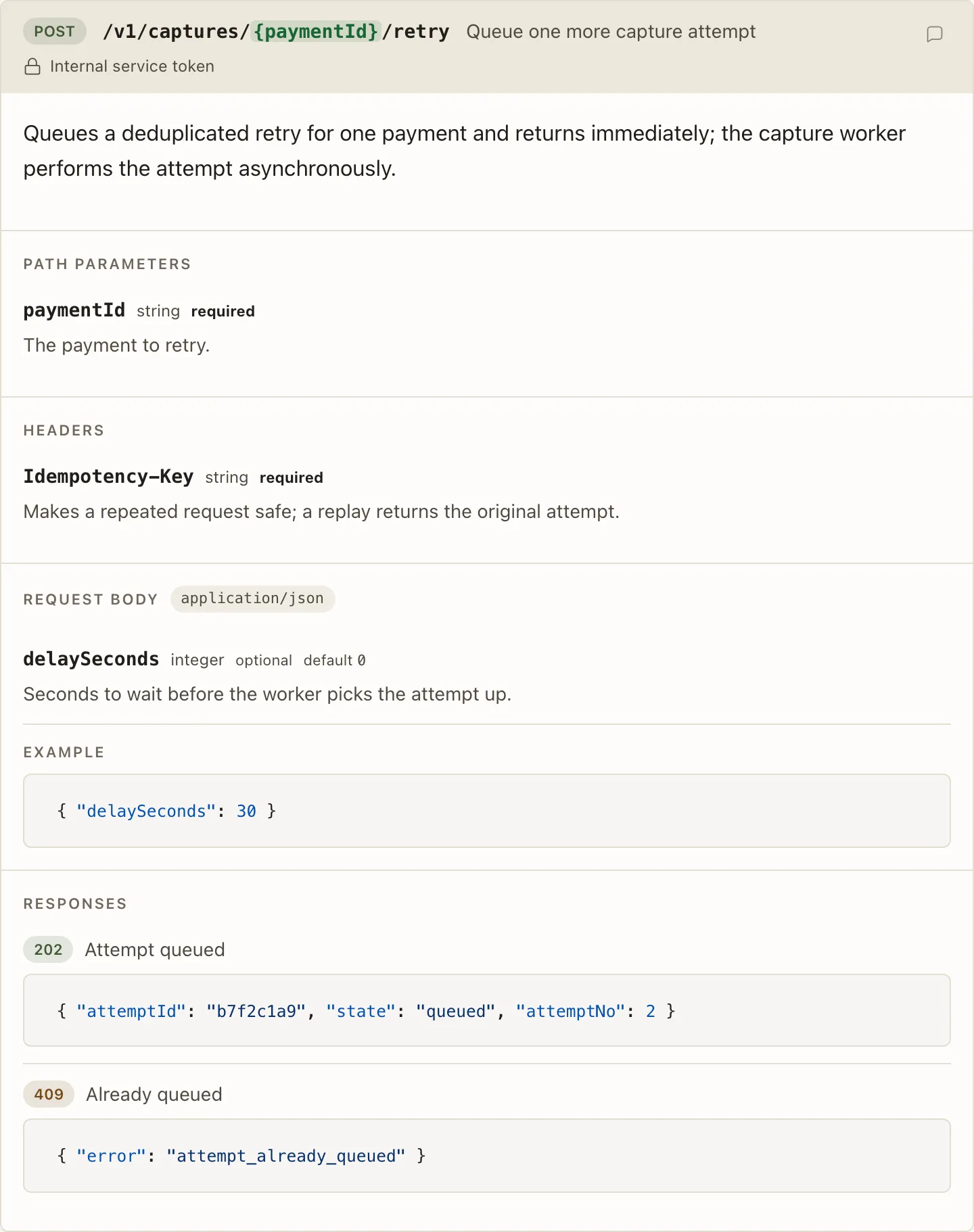
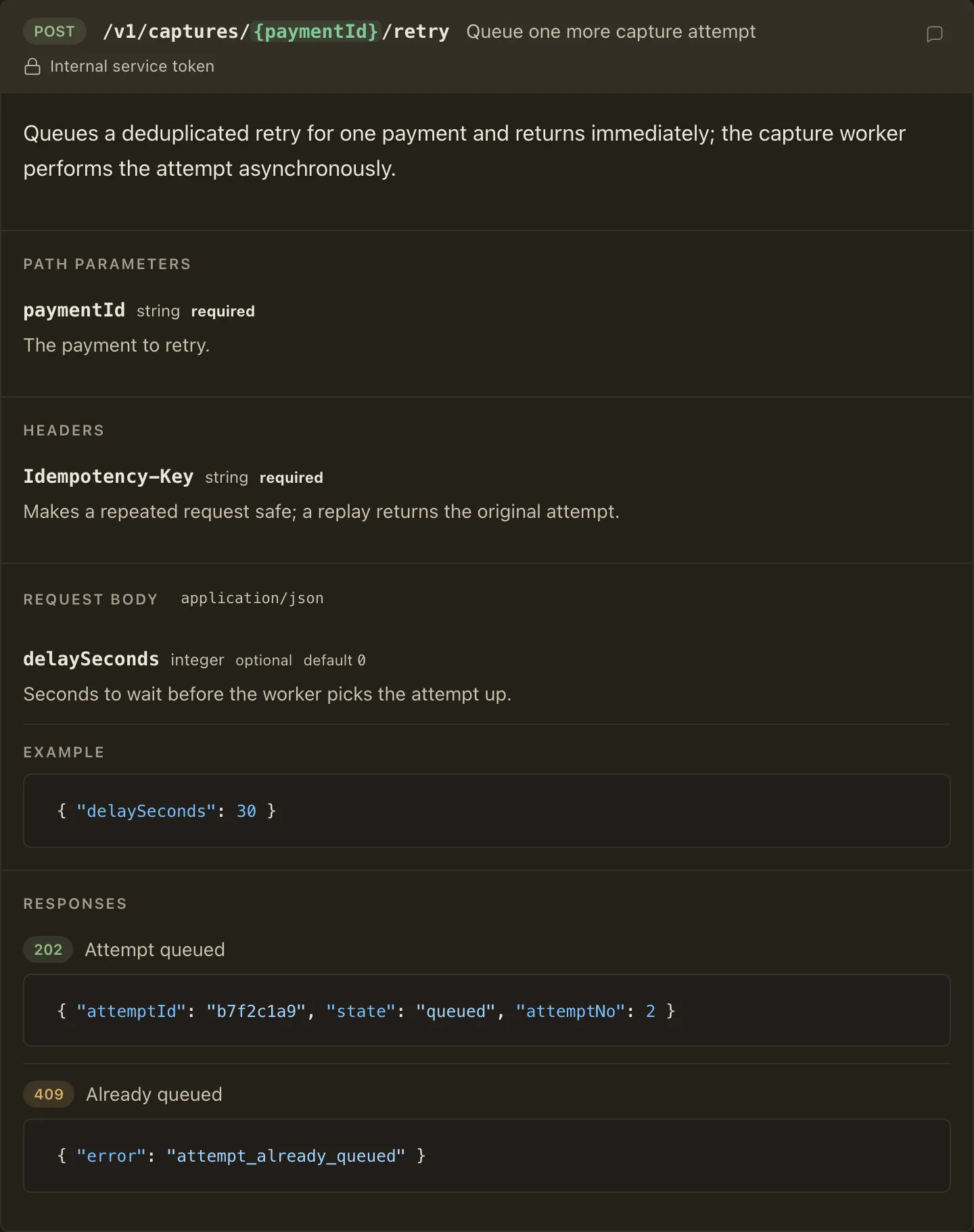
When to use it
Section titled “When to use it”Use HttpEndpoint when a plan proposes, changes, or relies on an HTTP endpoint and the reviewer should judge the contract: which parameters exist and where they live, what the request carries, and which statuses can come back with what bodies.
When not to use it
Section titled “When not to use it”- Loose examples - a single request or response sample with no contract to review is just a fenced code block
- Changed endpoints as diffs - change states are deliberately not part of this component; describe before-and-after in prose until a diff treatment exists
Compared with
Section titled “Compared with”GraphqlOperationandGrpcMethod— the same card shape for the other two transports.
Use cases
Section titled “Use cases”- Propose a new endpoint with its full request and response contract, including the error responses reviewers usually have to ask about
- Enumerate a planned API surface compactly, since a header-only endpoint with just method, path, and summary is valid
<HttpEndpoint method="POST" path="/api/plans/{planId}/comments" summary="Create a comment on a plan" auth="Local bridge session">
The endpoint accepts one review comment anchored to a plan that is already open in the local workspace.
<Param name="planId" in="path" type="string" required>
Identifier of the plan receiving the comment.
</Param>
<Param name="includeContext" in="query" type="boolean" default="false">
Includes the selected plan text in the response.
</Param>
<Param name="X-Big-Plan-Session" in="header" type="string" required>
Session identifier issued by the local browser bridge.
</Param>
<Param name="body" in="body" type="string" required>
Markdown comment text supplied by the reviewer.
</Param>
<Request contentType="application/json">
```json{ "body": "Keep the retry budget explicit." }```
</Request>
<Response status="201" label="Comment created">
```json{ "id": "cmt_8f3a", "status": "open" }```
</Response>
<Response status="404" label="Plan not found" />
</HttpEndpoint>
Authoring
Section titled “Authoring”Attributes
Section titled “Attributes”| Attribute | Type | Required | Behavior |
|---|---|---|---|
method |
enum: GET POST PUT PATCH DELETE HEAD OPTIONS |
Yes | Renders the color-coded method pill. |
path |
string (non-empty) | Yes | The URL template; {placeholder} segments render tinted so template variables read at a glance. |
summary |
string | No | One-line summary beside the path. |
auth |
string | No | Short auth requirement, rendered as a lock-annotated line; keep the mechanics in plan prose. |
deprecated |
bare boolean | No | Renders a Deprecated badge and mutes and strikes the path. |
The markdown body before the scoped children is the endpoint’s long description. A bare endpoint with no description, parameters, request, or responses still renders; the header row alone is a legitimate way to enumerate a surface area.
Nest Param directly inside HttpEndpoint to document one parameter; the body is its markdown description.
Put constraints - ranges, item limits, accepted values - in the body right beside the field they govern instead of in distant prose.
| Attribute | Type | Required | Behavior |
|---|---|---|---|
name |
string (non-empty) | Yes | The parameter name, rendered monospace. |
in |
enum: path query header body |
Yes | Seats the parameter under its location section - Path parameters, Query parameters, Headers - or among the Request body fields. |
type |
string | No | Free-form type label, rendered muted. |
required |
bare boolean | No | Renders the emphasized required marker; optional params show a muted optional marker instead. |
default |
string | No | Rendered beside the optional marker; invalid on a required param. |
Request
Section titled “Request”At most one Request documents the request body: an optional contentType rendered as a chip, and exactly one fenced code block as the example.
The Request body section states what the body is in one place: the media type up front, the in="body" Params as the payload’s fields, then the fenced example demonstrating it; body Params without a Request still render the section.
Response
Section titled “Response”Each Response documents one status: a required three-digit status (100-599) rendered as a class-colored pill (1xx and 3xx muted, 2xx green, 4xx amber, 5xx red), an optional label, and an optional markdown body with at most one fenced example.
Document the failure statuses reviewers usually have to ask about, not only the success shape.
Component-specific violations report positional diagnostics, including:
- A
statusthat is not a three-digit HTTP status - Duplicate
Paramidentities (samenameandin) or duplicateResponsestatuses - More than one
Request, aRequestwithout exactly one fence, or aResponsewith more than one fence - Headings, footnotes, or nested components inside a scoped child’s body
Param, Request, and Response outside a declaring HttpEndpoint stay unknown components.
Section layout
Section titled “Section layout”Path, Query, Headers, Body, and Responses render as stacked labeled sections, so the complete contract remains visible in the inert document, printouts, and text extraction. Request and response fences flow through the standard code pipeline, so supported declared languages receive syntax highlighting.