

Slide
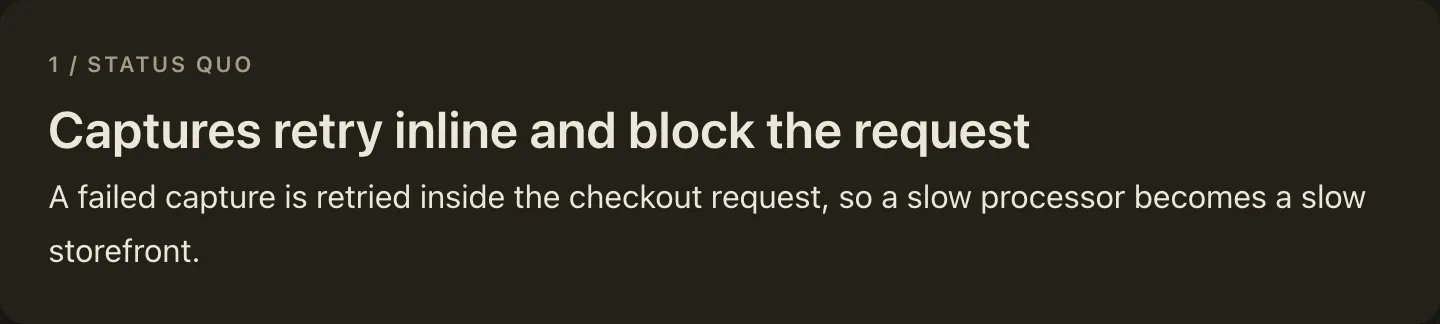
Slide applies one type from Big Plan’s closed, guidance-bearing catalog to the heading immediately after it.
Most markers describe an h2 slide.
A user-journey marker can also describe an h3 sub-slide inside an h2 group.
Most types supply the reusable structural name shown in the kicker, TableOfContents, and sidebar navigation; user journeys supply their deeper naming forms on the marker.
The heading remains the large, plan-specific title.
The marker itself emits no HTML. Untyped slides keep the existing behavior: the h2 is both their name and title.
How it looks
Section titled “How it looks”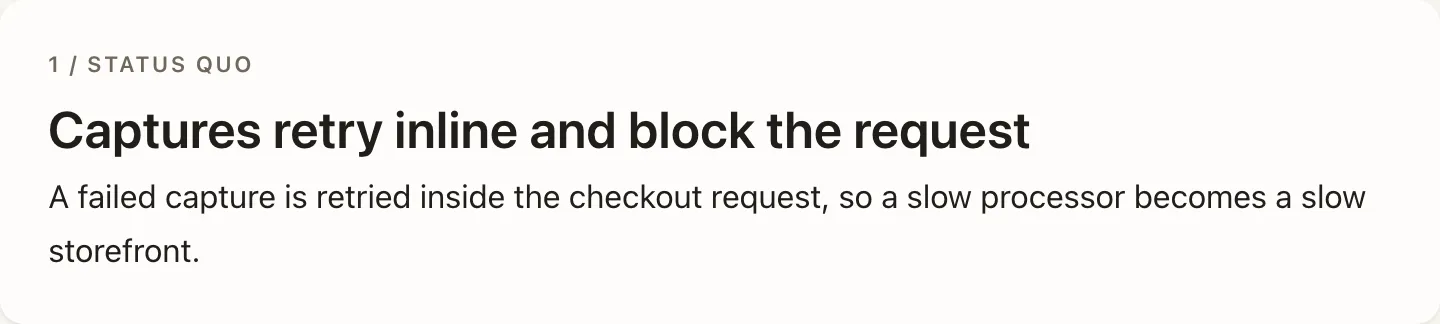
When to use it
Section titled “When to use it”Use it when a section’s purpose matches one of the five registered slide types. The marker applies that type’s structural name and its authoring guidance to the heading below it, and lint then enforces the type’s objective facts.
When not to use it
Section titled “When not to use it”Do not force a one-off idea into the nearest catalog label. When no type fits, write an untyped slide under the general principles; typed coverage is not a quality target.
Compared with
Section titled “Compared with”Part— reach for it to group slides into an act.Slidetypes one section.
Authoring
Section titled “Authoring”<Slide type="status-quo" />
## Inline retries delay checkout
...Run big-plan guidance Slide once before drafting a plan.
It returns the complete catalog in one digest: matching boundaries, writing guidance, component pairings, and cardinality for every type.
For each intended slide, use a type only when its matching rule fits; otherwise use an untyped slide under the general guidance.
The catalog
Section titled “The catalog”| Type id | Name | Role |
|---|---|---|
status-quo |
Status quo | What is true today, including what already works |
desired-experience |
Desired experience | The concrete lived experience introduced by a new feature |
desired-outcome |
Desired outcome | The concrete payoff of a bug fix, re-architecture, or tech-debt change |
user-journey |
User journeys | One complete human loop nested under a journeys container |
acceptance-criteria |
Acceptance criteria | Independently checkable verification |
desired-experience and desired-outcome are mutually exclusive.
They are light recommendations when their sharper framing fits; the canonical untyped “Success looks like” section remains valid and receives no discouraging lint.
Names and titles
Section titled “Names and titles”A typed slide’s name and title are distinct concepts. For most types the catalog name is stable across plans; the h2 title states this plan’s message. Normally make the title distinct and write it in plain language with concrete nouns and active verbs, omitting evaluative adjectives, superlatives, slogans, and abstract noun stacks. Big Plan does not lint that judgment because broad language checks would create false positives, and an identical name and title remains structurally valid when a distinct title would be strained.
User journeys
Section titled “User journeys”User journeys add one deeper name/title layer. Name the container “User journeys,” make it a Part, and nest every journey underneath it rather than beside it. Then count the actors to pick the shape.
Two or more actors: group by actor. This is the default. Each actor gets one untyped group slide inside the Part, titled for that actor, and each of their journeys becomes a sub-slide of it, so 2.2 “Merchant journeys” holds 2.2.1 and 2.2.2. A reviewer who owns one actor reads that group and collapses the rest.
One actor: keep the journeys flat. They stay typed slides directly inside the Part, numbered 2.1, 2.2, 2.3, because grouping a single actor adds a level that only repeats its owner.
The marker sits above the heading the journey owns: the h3 when grouped, the h2 when flat. Either way the journey keeps its name, toc, and wireframe contract, and the heading beneath the marker becomes the title.
Authoring typed journey slides beside an untyped container slide is rejected by the slide-type-structure lint rule, because they render as the container’s siblings.
<Part title="User journeys" />
## Merchant journeys
The merchant sees the failure first.
<Slide type="user-journey" name="Review a failed payment" toc="Review failure" />
### A merchant reads why one payment failed
<Wireframe id="merchant-review" initialScreen="failure">  <Screen id="failure" name="Failed payment" device="desktop">    ...  </Screen></Wireframe>
With a single actor, drop the group slide and put the marker above the h2 instead.
For each typed journey:
nameis a distinct, concrete journey name shown in the kicker and sidebar.tocis an ultra-concise form shown in the TableOfContents.- The heading under the marker is the full plain-language claim.
- A default
Wireframecarries the actualScreenmockups for the shortest path that proves the journey. If no UI exists to show, add a non-emptywireframeReasonattribute to the marker.
Repeat the singular user-journey marker for several individual journeys.
The catalog’s plural “User journeys” name belongs to the container, not every journey kicker.
Distinct journey names and TOC forms keep repeated entries navigable.
The Wireframe makes a UI journey visible and walkable; prose can annotate the screens but cannot replace them when a UI exists.
Apply the Wireframe component’s CLEAR quality bar to every mockup.
The contract
Section titled “The contract”typeis required and accepts only the five registered ids above.Slideis self-closing and rejects body content.- The marker must be top-level and immediately followed by the h2 or h3 it describes. On an h3 it types one journey sub-slide: the marker’s name fills the kicker, and the h3 becomes that sub-slide’s title.
user-journeyadditionally requires non-emptynameandtocattributes and accepts an optional non-emptywireframeReason; other types reject all three.- Every
user-journeysection must contain aWireframewith actual UI mockups, or a non-emptywireframeReasonthat explains why no UI was created. Carrying both is rejected, because the reason only explains an absent wireframe. - Every
user-journeyslide must sit inside a Part whose title names the journeys container, such as “User journeys”; a grouped journey sub-slide may instead sit under an actor group titled “Merchant journeys”. - Singleton types may appear at most once;
user-journeymay repeat. - A plan may use
desired-experienceordesired-outcome, never both. - An acceptance-criteria slide with more than seven criteria must group them by a useful dimension.
Unknown types and misplaced markers fail compilation with source positions. Objective catalog violations fail lint. No rule requires every slide to be typed.
Growing the catalog
Section titled “Growing the catalog”The catalog is closed but intentionally grows over time. A new type is justified when the same untyped slide purpose recurs across plans and agents need materially different guidance to author it well. A one-off label is not enough.
Adding a type is a normal product contribution:
- Add one file under
src/plan-vocabulary/slide-types/definitions/with its matching boundary, counterexample, authoring guidance, component pairings, and cardinality. - Add its id to the registry and closed
Slideattribute contract. - Update the focused catalog tests, the smallest validated example, and this reference.
- Submit the evidence and guidance for normal Big Plan maintainer review.
Until a type is accepted, authors use untyped slides rather than defining local types. A future captain-approved agent proposal flow may package evidence for maintainer review, but it will not mutate the installed catalog or create runtime custom types.