

CodeSnippet
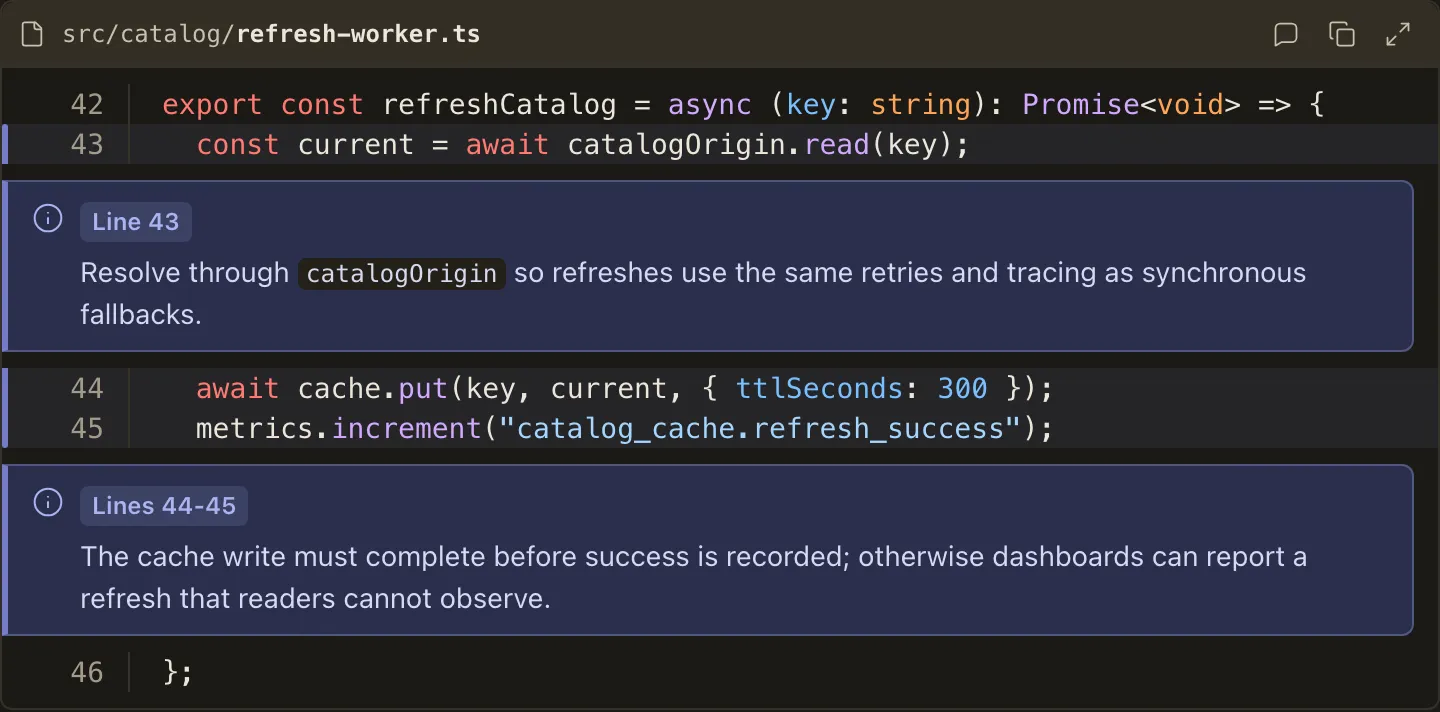
CodeSnippet shows an excerpt of existing code a reviewer must inspect line by line, adding a file association, file-absolute line numbers, or Annotation cards anchored to the lines they explain.
How it looks
Section titled “How it looks”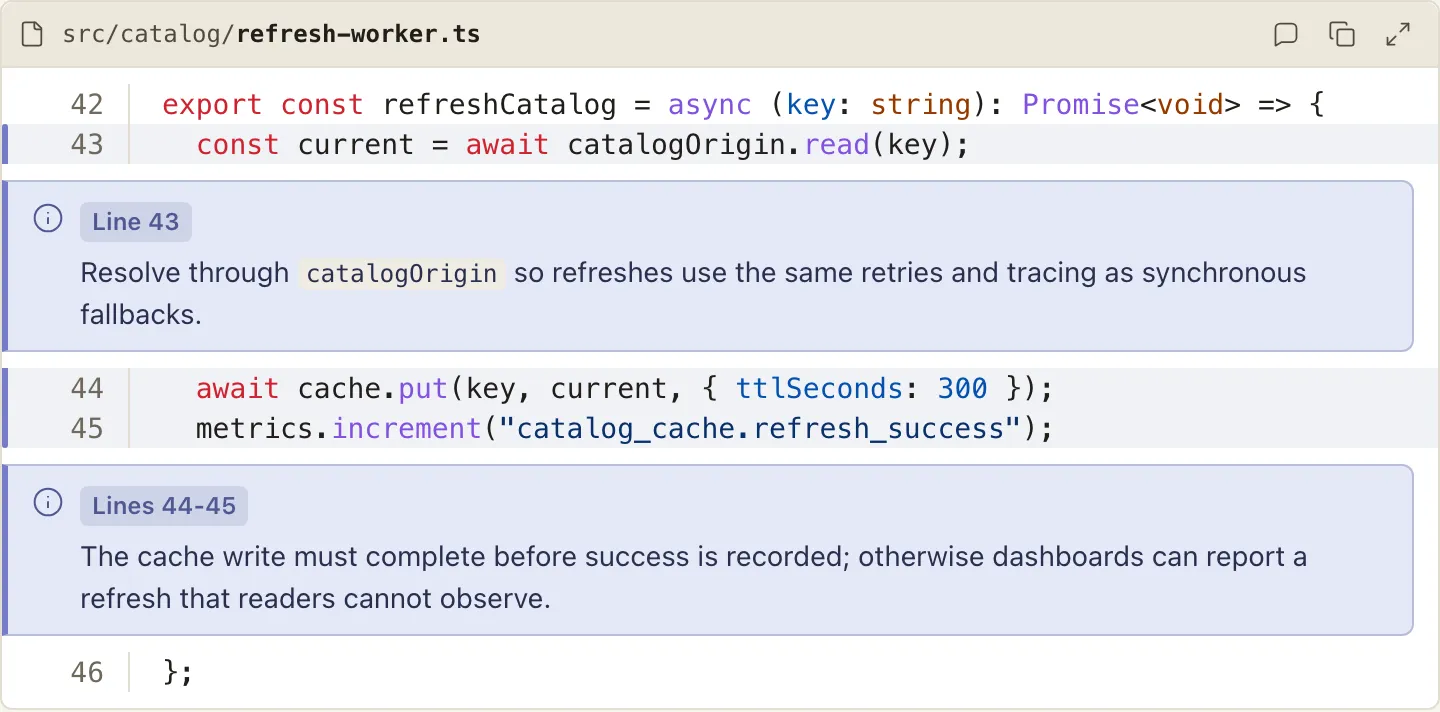
When to use it
Section titled “When to use it”Use CodeSnippet when the code under review already exists and the reviewer needs file context, verifiable line numbers, or anchored notes that an anonymous sample cannot provide.
When not to use it
Section titled “When not to use it”- Plain samples - a fenced code block already ships syntax highlighting;
CodeSnippetearns its place only through the file association, real line numbers, and anchored notes a fence cannot express - Proposed changes - showing an edit is
CodeDiff’s job
Compared with
Section titled “Compared with”CodeDiff— reach for it when the point is what changes, not what is there.- A plain fenced block — reach for it when the code has no file identity.
Use cases
Section titled “Use cases”- Walk the reviewer through the exact lines a plan builds on, in their real location in the file
- Explain load-bearing lines with annotations anchored to their file-absolute numbers
<CodeSnippet file="src/render/markdown/compile-markdown.ts" startLine="42" showLineNumbers>
```tsconst convertMarkdown = async ({ source, fallbackTitle }) => {  const tree = await parseStaticMdx({ source, diagnostics });  rehypeRenderComponents({ diagnostics })(tree);  rehypeSlug()(tree);  return { tree, outline: collectOutline(tree) };};```
<Annotation lines="44">  The registry runs before every other transform so no MDX node can reach the  serializer.</Annotation>
<Annotation lines="45-46">  Slug allocation must follow component rendering, because components may  introduce new heading ids.</Annotation>
</CodeSnippet>
Authoring
Section titled “Authoring”Attributes
Section titled “Attributes”| Attribute | Type | Required | Behavior |
|---|---|---|---|
file |
string (non-empty) | No | File the excerpt belongs to; renders the header path. |
startLine |
string, positive integer | No (default "1") |
The file line the first fenced line corresponds to; the gutter and all annotation anchors use this file-absolute numbering. |
showLineNumbers |
bare boolean | No | Keeps the line-number gutter visible while resting; without it the gutter stays hidden until the reader maximizes the snippet. |
Children
Section titled “Children”The component takes exactly one fenced code block, plus zero or more Annotation components, and nothing else.
The fence may declare any language or none; supported languages receive syntax highlighting, while unknown and undeclared languages remain plain.
Component-specific violations report positional diagnostics, including:
- A non-integer
startLine - An annotation anchor outside the snippet’s range (the message includes the valid range)
- A bare snippet with no
file,startLine,showLineNumbers, or annotations, which is rejected with a pointer to use a plain markdown fence - An
Annotationwith noshowLineNumbers: an annotation’s line claim must stay verifiable without JavaScript, so a snippet that anchors a note to a file-absolute line keeps its gutter visible at rest, whether or notstartLineis authored. An excerpt with noAnnotationmay still omitshowLineNumbersand reveal its gutter only on maximize.
Annotation
Section titled “Annotation”Nest Annotation directly inside CodeSnippet to anchor a markdown note to specific lines.
| Attribute | Type | Required | Behavior |
|---|---|---|---|
lines |
string | Yes | A file-absolute line ("47") or inclusive non-descending range ("47-52"); values must be safe integers inside the snippet’s range. |
The body is ordinary markdown - though not headings, footnotes, or nested components - and must not be empty; an Annotation outside a declaring parent stays an unknown component.
An annotation renders as a prose card immediately after the last line of its range, sharing CodeDiff’s annotation identity: the comment glyph, a Line N / Lines N-M badge, and the annotation tint, which also washes the anchor lines and their gutter marker in every colour theme and both appearances.
Hovering an annotation or any of its anchored lines highlights both, so the pairing reads at a glance.
The line-number gutter is excluded from text selection, so selecting the source stays clean.