

CodeDiff
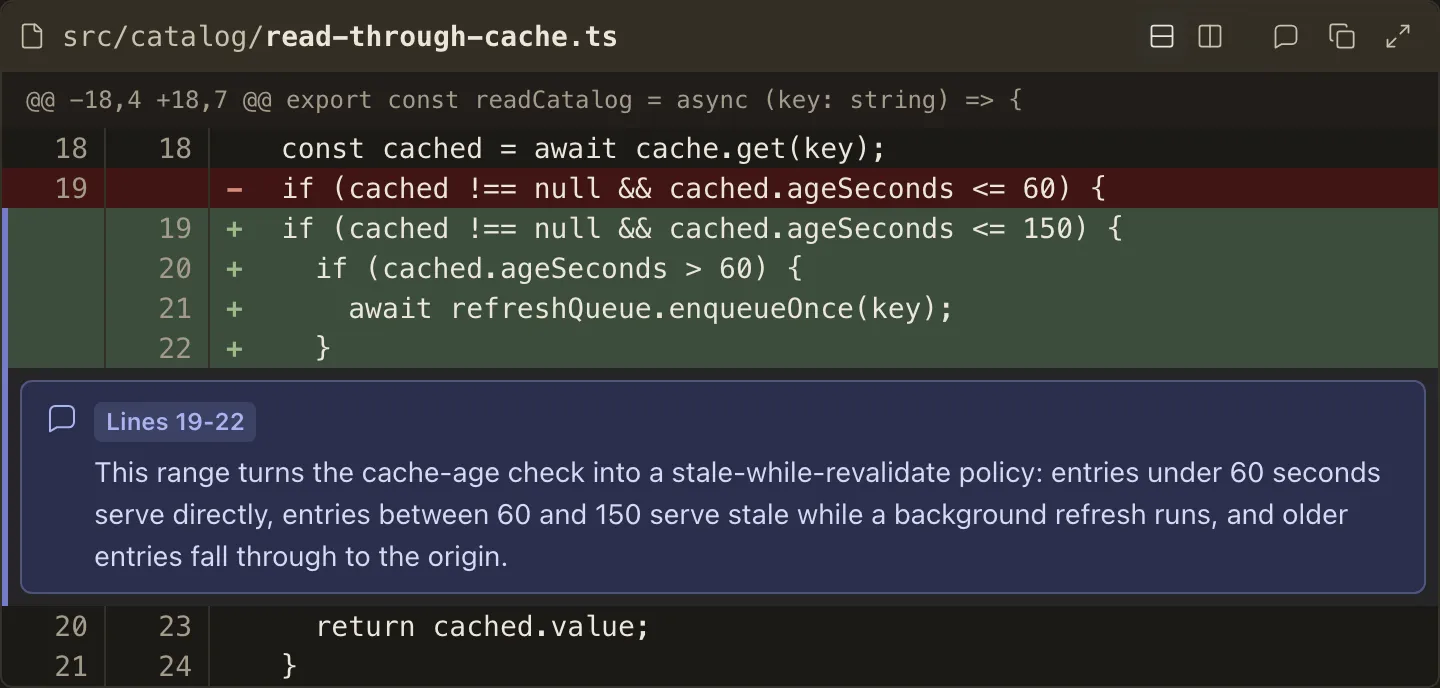
CodeDiff shows a proposed change to one file the way a code review tool would: removed lines tinted red, added lines tinted green, under a header naming the file.
The plan author pastes ordinary git diff output for that file into the component, and the reader gets a unified diff with optional line numbers, change counts, and anchored notes.
With the viewer script active, a pressed-state segmented control switches between unified and side-by-side views and remembers the choice for this exact plan revision.
With scripts disabled, the complete unified view remains readable and no dormant control appears.
How it looks
Section titled “How it looks”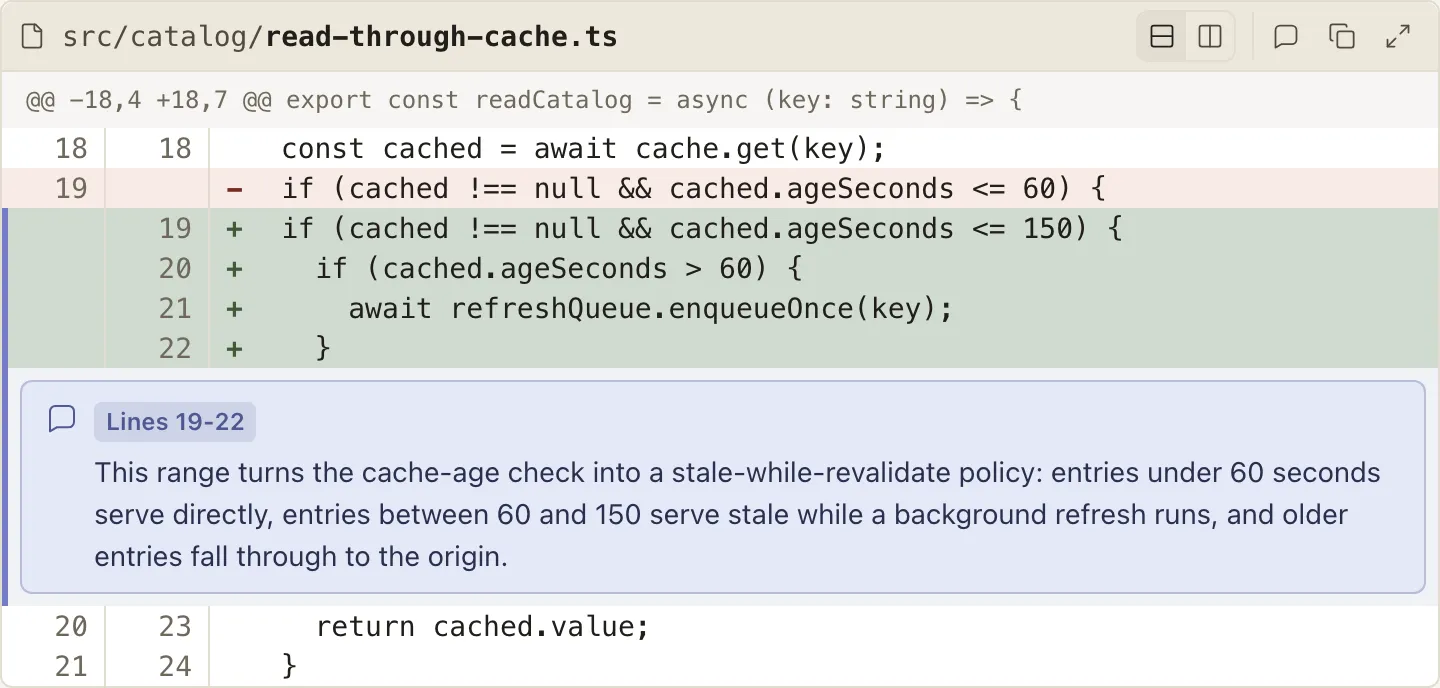
When to use it
Section titled “When to use it”Use CodeDiff whenever a plan proposes a concrete change to existing code, so the reviewer approves the exact lines rather than a prose description of them.
When not to use it
Section titled “When not to use it”- Code that is not a change - a plain fenced code block presents it without diff framing
- Decisions that are architectural rather than line-level - prose or a diagram carries those better
- Changes too large to read line by line - summarize them in prose and reserve
CodeDifffor the risky excerpts
Compared with
Section titled “Compared with”CodeSnippet— reach for it when you are showing existing code the reviewer should read, with no change to mark.- A plain fenced block — reach for it when the code has no file identity: a command, a config sample, or output to expect.
Use cases
Section titled “Use cases”- Show the exact edit an agent intends to make before it touches the file
- Explain a risky or subtle change with annotations anchored to the specific lines they discuss
- Make additions and removals scannable through line markers, gutters, and color
<CodeDiff file="src/cache.ts" showLineNumbers showLineCounts>
```diff@@ -12 +12 @@-const ttl = 30;+const ttl = 60;```
</CodeDiff>
Authoring
Section titled “Authoring”Attributes
Section titled “Attributes”| Attribute | Type | Required | Behavior |
|---|---|---|---|
file |
string (non-empty) | Yes | Shown in the header with the directory muted and filename bold. |
showLineNumbers |
bare boolean | No | Renders old/new line-number gutters computed from @@ hunk headers. |
showLineCounts |
bare boolean | No | Shows the computed +added -removed summary in the header. |
Attributes take the bare form (showLineNumbers, never showLineNumbers="true").
Any other attribute, an empty file, or showLineNumbers on a diff without @@ headers is a positional authoring error.
Children
Section titled “Children”The component takes exactly one fenced ```diff code block, plus zero or more direct Annotation children, and nothing else.
The fenced diff block accepts:
- One file’s unified
git diffoutput, verbatim - the file preamble (diff --git,index,---,+++, mode, rename, and copy lines) may appear before the first hunk - Headerless diffs of bare
+/-/context lines, when line numbers are not requested - A blank line inside a hunk as empty context, even when an editor has stripped its leading space
Combined and multi-file diffs are not supported; use one CodeDiff per file.
Validation is strict, and a malformed line fails the render with both the document position and the fence-relative line number:
- Each
@@header’s declared old and new line counts must match the hunk content - Hunk coordinates and the line-number ranges they produce cannot exceed
9007199254740991
Annotation
Section titled “Annotation”Nest Annotation directly inside CodeDiff to anchor a markdown note to specific lines:
<Annotation lines="45-46" side="new"> Slug allocation must follow component rendering.</Annotation>| Attribute | Type | Required | Behavior |
|---|---|---|---|
lines |
string | Yes | One canonical positive integer (N) or a strictly ascending inclusive range (N-M); zero and leading zeros are invalid. |
side |
"old" | "new" |
No | Which side of the diff the range addresses; defaults to new. |
Every referenced line must exist on the chosen side, and annotations require @@ hunk headers.
Annotation bodies accept prose, lists, inline formatting, and plain fenced code, but reject headings, footnotes, and typed components (each with a positional diagnostic).
An Annotation anywhere other than a direct CodeDiff child is an unknown component.
Annotation is a scoped child component; CodeSnippet reuses the concept with file-absolute line anchors.
An annotation renders as a prose card after the final line of its range, with a comment glyph, a Line N / Lines N-M badge, and role="note":
- The card spans the component immediately after the last line in its range.
- Covered lines carry the annotation accent as a left spine and a subtle wash blended over their add/remove tints, so ranges read at a glance.
- Multiple annotations may target the same line or range and render in authored order.
- Hovering an annotation or any of its anchored lines highlights both, so the pairing reads at a glance.
- Long cards remain fully visible so no annotation detail is hidden.
Added and removed lines are tinted, carry +/- markers, and include visually hidden Added line: / Removed line: prefixes so the change kind survives without color.